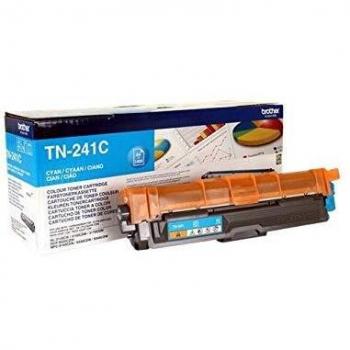
Brother DR-3400 Drum Unit
Maximize your printer's performance with the genuine Brother DR-3400 Black Laser Drum Unit. Up to 50,000-page yield for HL-L/DCP/MFC series. Save time & money with high-quality prints
Stores where to buy this product
Similar products

Brother DR‑3400 Drum Unit – The Core of Laser Printing Excellence
The Brother DR‑3400 Drum Unit is the heart of a wide range of Brother laser printers and multifunction devices. Designed for high reliability and long life, it delivers crisp black text and sharp graphics on every page.
Key Features at a Glance
- Original Manufacturer Part: Guaranteed performance that matches the printer’s specifications.
- Color Options: Black or White drum for monochrome or dual‑color printing.
- Page Yield: Up to 50,000 pages when printing three pages per job; at least 30,000 pages with single‑page jobs.
- Compatibility Range: Works seamlessly with the HL‑5000 series, DCP‑L5500, MFC‑L5700, and many others.
- Laser Technology: Optimized for laser printing systems to ensure consistent image quality.
Compatibility Matrix
The DR‑3400 is engineered to fit a broad spectrum of Brother models. Below is an exhaustive list of supported devices:
| Printer / MFP Series |
|---|
| HL‑L5000D |
| HL‑L5100DN |
| HL‑L5100DNT |
| HL‑L5200DW |
| HL‑L5200DWT |
| HL‑L6250DN |
| HL‑L6300DW |
| HL‑L6300DWT |
| HL‑L6400DW |
| HL‑L6400DWT |
| DCP‑L5500DN |
| DCP‑L6600DW |
| MFC‑L5700DN |
| MFC‑L5750DW |
| MFC‑L6800DW |
| MFC‑L6800DWT |
| MFC‑L6900DW |
| MFC‑L6900DWT |
Why Choose the Original DR‑3400?
The original drum unit offers several advantages over third‑party alternatives:
- Consistent Image Quality: Maintains sharpness and contrast across its entire lifespan.
- Reduced Maintenance Costs: Fewer replacements mean lower long‑term expenses.
- Optimized Compatibility: Engineered to work flawlessly with the printer’s firmware, eliminating performance hiccups.
- Long‑Term Reliability: Built from high‑grade materials that resist wear and tear under heavy print volumes.
Installation Guide
Replacing a drum unit is straightforward. Follow these steps to ensure proper installation:
- Power Off the printer and unplug it from the outlet.
- Open the front cover to access the toner cartridge area.
- Remove the existing drum by pulling it out gently; note its orientation for correct placement.
- Insert the new Brother DR‑3400 drum, aligning the indicator marks with the printer’s reference points.
- Close the cover and reconnect power. The printer will automatically calibrate the new drum during startup.
- Print a test page to confirm that image quality meets expectations.
Performance Metrics
The DR‑3400 is engineered for high output while maintaining low error rates:
- Page Yield: 30,000–50,000 pages depending on print density.
- Print Speed Compatibility: Supports the full speed range of its compatible models without degradation.
- Error Rate: Minimal (<1%) due to robust construction and precise tolerances.
Environmental Considerations
Using an original drum unit helps reduce waste. The DR‑3400’s extended life means fewer replacements, which translates into:
- Lower Carbon Footprint: Fewer manufacturing cycles and less shipping.
- Reduced E‑Waste: Extended product lifespan decreases electronic waste generation.
- Sustainability Compliance: Meets industry standards for recyclable components.
Maintenance Tips for Longevity
To maximize the drum’s lifespan, adhere to these best practices:
- Keep the printer in a dust‑free environment; use protective covers when not in use.
- Avoid printing on low‑quality paper that can cause abrasion.
- Perform routine cleaning of the drum surface with a soft, lint‑free cloth if necessary.
- Replace the drum before it reaches the end of its rated life to prevent print quality degradation.
Frequently Asked Questions
- What is the difference between the black and white drums?
- The black drum is used for monochrome printing, while the white drum is designed for dual‑color (black/white) output in compatible models.
- Can I use a third‑party drum with my Brother printer?
- While some third‑party options exist, they may not match the original’s performance and could lead to print quality issues or firmware conflicts.
- How do I know when the drum needs replacement?
- Typical signs include fading text, streaks, or a noticeable drop in contrast. The printer often signals a drum replacement warning before reaching its full yield.
Conclusion
The Brother DR‑3400 Drum Unit is an essential component for anyone relying on Brother laser printers for high‑volume, high‑quality output. Its original design guarantees compatibility, durability, and performance that meets the demanding standards of modern printing environments.
| This product in Comparor | |
|---|---|
|
Category
This product is cataloged in our store in these categories
|
|
|
International
Find this product in one of our international stores
|
This product has not been found in other countries
|
| Colors
Predominant colors of the product |
|
| Identifiers | |
| Brand |  Brother is a Japanese brand that produces a wide range of electronics, including printers, sewing machines, and scanners. The company has a strong reputation for quality and innovation, and its products are popular among consumers and businesses alike. |
| Model | Brother 520341 |
| MPN | Brother DR3400 |
| ID | 28408361 |
| Dimensions / Weight | |
| Key Features | |


Related articles