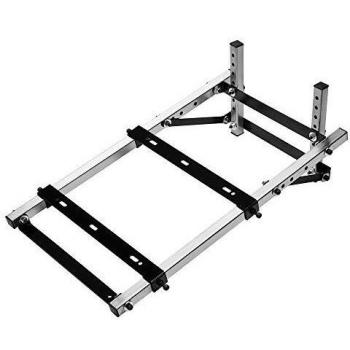
Thrustmaster HOTAS Warthog Dual Throttles
H.E.A.R.T Hall Effect Accu Rate Technology - Dual replica throttles - Pull and Push Throttle System with Disengageable Afterburner - Control Panel with 5 Programmable LEDs - Thrustmaster expert flying ecosystem - T
Stores where to buy this product
Similar products

Thrustmaster HOTAS Warthog Dual Throttles
The Thrustmaster HOTAS Warthog Dual Throttles is a premium flight simulation accessory designed for PC users who demand precision, durability, and an authentic cockpit experience. This dual‑throttle system replicates the feel of real aircraft controls, providing pilots with full throttle management, reverse thrust, and programmable buttons to streamline complex flight operations.
Key Features
- Dual Throttle Design: Two independent throttles allow simultaneous control of engine power for twin‑engine aircraft or separate thrust settings for multi‑stage engines. Each throttle is engineered with a smooth, linear response curve.
- High‑Precision Hall Effect Sensors: The system employs HEART HallEffect AccuRate technology, delivering sub‑millimeter accuracy and eliminating sensor drift over time. This ensures consistent performance even under prolonged use.
- Programmable Buttons: Sixteen buttons are fully programmable via the Thrustmaster software suite, enabling custom macros for landing gear, flaps, weapons systems, or any other function required by your simulation.
- Robust Build Quality: Constructed from high‑grade aluminum and reinforced plastic, the throttles feature a locking mechanism that secures them in place during intense maneuvers. The design is resistant to vibration and shock, making it suitable for both home setups and professional training rigs.
- USB Connectivity: A single USB cable provides power and data transfer, simplifying installation and ensuring compatibility with a wide range of PC configurations.
- Cross‑Platform Compatibility: While optimized for Windows operating systems (including Windows XP through Windows 10), the throttles also work seamlessly with popular flight simulators such as Microsoft Flight Simulator, X-Plane, DCS World, and Prepar3D.
Technical Specifications
| Component | Description |
|---|---|
| Device Interface | USB (wired) |
| Operating System Support | Windows XP, Vista, 7, 8, 8.1, 10 (all editions) |
| Power Supply | 100–240V AC worldwide |
| Programmable Buttons | 16 |
| Color | Black (Nero, Schwarz) |
| Packaging | Box |
| Device Type | Flight Simulation Controller |
| Connectivity Technology | Cabled USB |
Installation and Setup
- Connect the throttles to an available USB port on your PC.
- Install the Thrustmaster HOTAS software from the official website. This driver package includes calibration tools and button mapping utilities.
- Launch the software, select “Throttle” as the device type, and follow the on‑screen prompts to calibrate each throttle’s range of motion.
- Use the button configuration panel to assign functions or macros to any of the sixteen programmable buttons. Save profiles for different aircraft or missions.
- Open your flight simulator and load a compatible aircraft. The throttles should appear as active input devices, ready for use.
Performance in Flight Simulators
Players report that the HOTAS Warthog Dual Throttles provide an unparalleled level of realism. The linear response curve ensures smooth acceleration and deceleration, while the Hall Effect sensors maintain consistent feedback even during high‑G maneuvers. In multi‑engine aircraft simulations, the dual throttles allow precise engine management, reducing pilot workload and enhancing immersion.
Customization and Expandability
The 16 programmable buttons can be mapped to virtually any function within your simulator or even external applications via third‑party software. Advanced users often create layered profiles: one for aircraft systems, another for weapons control, and a third for quick access to mission objectives.
Durability and Maintenance
The throttles are built to withstand rigorous use. The aluminum housing protects internal components from dust and debris, while the locking mechanism prevents accidental disengagement during intense flight sessions. Routine maintenance involves cleaning the throttle surfaces with a soft cloth and ensuring that the USB cable remains free of damage.
Conclusion
The Thrustmaster HOTAS Warthog Dual Throttles represent a top‑tier solution for flight simulation enthusiasts seeking authentic, high‑precision throttle control. With its dual‑throttle architecture, Hall Effect sensors, and extensive programmability, it delivers both performance and versatility, making it an essential addition to any serious pilot’s cockpit.
| This product in Comparor | |
|---|---|
|
Category
This product is cataloged in our store in these categories
|
- Electronics |
|
International
Find this product in one of our international stores
|
 260.95 EUR  310.75 EUR  242.55 EUR  267.00 EUR  264.46 EUR  369.90 CHF  260.99 EUR |
| Colors
Predominant colors of the product |
|
| Tags | Dual Throttles Throttles Locking Thrustmaster HOTAS Warthog Dual Thrustmaster HOTAS |
| Identifiers | |
| Brand | ThrustMaster ThrustMaster is a brand that specializes in manufacturing gaming peripherals such as controllers and joysticks. The company was founded in 1989 and is headquartered in France. |
| MPN | ThrustMaster 2960739 |
| ID | 20049324 |
| Dimensions / Weight | |
| Key Features | |
|
Colour The colour or combination of colours that a product is available in, expressed as common names such as "Black", "Silver" or comma‑separated lists like "Black, White". It indicates the visual appearance of the item for consumers.
|
Black |
|
Device interface List of physical or logical interfaces that a device can use to connect with other components, such as USB, PCI Express, SATA, Ethernet, Thunderbolt, DisplayPort, and similar technologies. Each value represents an interface standard supported by the device.
|
USB |
|
Device type The general classification of a product, such as tablet, smartphone, router, or computer. It indicates the primary function or form factor that helps buyers quickly identify and compare similar items.
|
Flight Sim |
|
Programmable buttons The total count of buttons on a device that can be programmed by the user to perform custom actions, such as macros or shortcuts. This value indicates how many distinct programmable input controls are available for configuration.
|
Yes |


Related articles