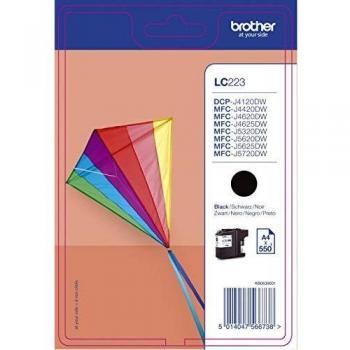
Brother QL600B Label Printer
The Brother QL600B is a compact yet powerful thermal label printer designed for high‑volume printing tasks such as shipping labels, address tags, and inventory markers. Its direct‑thermal technology eliminates the need for ink or ribbons, making it an economical choice for businesses that require consistent, long‑lasting prints.
Key Features
- Print Speed: Up to 71 mm/s (2.8 inches per second) – ideal for fast shipping operations.
- DPI Resolution: 300 × 600 dots per inch, delivering sharp text and crisp barcode images.
- Print Width: Supports labels up to 62 mm (2.4 inches) wide, covering most standard shipping and address label sizes.
- Connectivity: USB 2.0 interface for seamless integration with Windows, macOS, and Linux systems.
- Power Supply: 100 – 240 V AC input, allowing global use without additional adapters.
- Compact Design: Small footprint (210 × 140 mm) that fits comfortably on a desktop or in a small office space.
Direct‑Thermal Printing Technology
The QL600B employs direct‑thermal printing, which uses heat to create images directly on specially coated paper. This method offers several advantages:
- No consumables such as ink cartridges or ribbons are required.
- Lower operating costs and reduced maintenance.
- High durability of printed labels, especially when stored in controlled environments.
Label Compatibility
The printer is compatible with a wide range of label rolls:
- Standard shipping labels (e.g., 62 mm × 25 mm).
- Address and return labels.
- Barcode labels for inventory management.
- Custom size labels up to the maximum width of 62 mm.
Brother offers a variety of pre‑cut label rolls in both black and blue thermal paper, ensuring that users can choose the color that best matches their branding or operational needs.
Software Integration
- The QL600B is compatible with Brother’s own LABEL DESIGNER software, which allows users to create custom label templates and print directly from the application.
- It also supports third‑party shipping platforms such as ShipStation, EasyPost, and eBay’s Shipping Manager, enabling automated printing of shipping labels straight from order management systems.
- Standard drivers are available for Windows, macOS, and Linux, ensuring broad compatibility across operating environments.
Installation & Setup
The QL600B is designed for plug‑and‑play operation:
- Connect the USB cable to the printer and your computer.
- Plug in the power adapter and turn on the unit.
- Install the appropriate drivers from Brother’s website or use the included CD.
- Load a roll of thermal paper into the designated slot, ensuring that the label edge is correctly aligned with the print head.
- Open your preferred label design software and select the QL600B as the target printer.
Maintenance & Care
- Regularly clean the print head area with a soft, lint‑free cloth to remove dust or debris.
- Avoid using non‑thermal paper; only Brother’s certified thermal labels should be used to prevent damage.
- Store unused label rolls in a cool, dry place to maintain paper quality and prolong print life.
Typical Use Cases
- E‑commerce fulfillment centers: Rapid printing of shipping labels for high‑volume orders.
- Small businesses: Generating address tags and return labels for customer service operations.
- Warehouse inventory management: Printing barcode labels for product tracking.
- Retail point of sale: Creating price tags and promotional stickers on the fly.
Why Choose the Brother QL600B?
The combination of high print speed, reliable direct‑thermal technology, and versatile connectivity makes the Brother QL600B an excellent choice for any operation that requires efficient label printing. Its compact size does not compromise performance, allowing it to fit into tight workspaces while delivering professional results.
Conclusion
The Brother QL600B Label Printer stands out as a dependable, cost‑effective solution for businesses and individuals alike who need fast, high‑quality label printing without the hassle of consumables. Its straightforward setup, robust software support, and durable print output ensure that users can focus on their core tasks while the printer handles all labeling needs with precision.


 Ao.com
  Currys.co.uk
  GamingKit
  m.joybuy.co.uk
  Back to the Office
  Quzo
Quzo  Brother is a Japanese brand that produces a wide range of electronics, including printers, sewing machines, and scanners. The company has a strong reputation for quality and innovation, and its products are popular among consumers and businesses alike.