
86.25 GBP
 Logitech MX Keys Mini for Mac - Compact Backlit Wireless Keyboard - Bluetooth QWERTY UK Layout - Grey
The Logitech MX Keys Mini is a compact backlit wireless keyboard designed for home or office use with the Mac operating system. It features a Bluetooth connection and a QWERTY layout in the UK English language
Stores where to buy this product
 LaptopHub
 GamingKit
 Back to the Office
 Quzo
Quzo
Logitech MX Keys Mini for Mac
The Logitech MX Keys Mini for Mac is a compact, backlit wireless keyboard designed specifically for macOS users who value precision, comfort, and portability. Its slim profile fits effortlessly into any workspace, whether you’re working from home, traveling, or using a laptop on the go.
Key Features
- Compact Design: The keyboard measures just 11.5 inches (29.2 cm) wide, making it one of the smallest full‑size keyboards available. Despite its size, every key is fully functional and arranged in a standard QWERTY UK layout.
- Backlit Keys: Each key is illuminated with adjustable backlighting that automatically adapts to ambient lighting conditions. This feature ensures you can type comfortably in low‑light environments without straining your eyes.
- Bluetooth LE Connectivity: The keyboard connects via Bluetooth Low Energy, providing a stable link with minimal power consumption. It pairs seamlessly with macOS devices such as the MacBook Pro, MacBook Air, iMac, and even iPad when using Bluetooth.
- USB‑C Charging Port: A USB‑C port allows for quick charging or direct connection to a computer for data transfer. The keyboard can be powered via a standard USB‑C cable, eliminating the need for batteries.
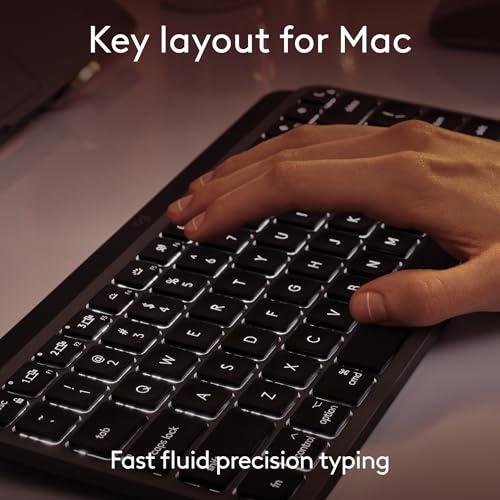
- Mac‑Specific Shortcuts: Dedicated keys for macOS functions—Command, Option, Control, and Function—are placed in intuitive positions, enhancing workflow efficiency.
- Low‑Profile Keys: The keys feature a low‑profile design with a soft tactile feel. They are engineered to reduce finger fatigue during extended typing sessions.
- Durable Construction: Made from high‑quality materials, the keyboard is built to withstand daily use while maintaining a sleek aesthetic in grey.
Typing Experience
The MX Keys Mini delivers a typing experience that balances speed and accuracy. The keys have a short travel distance of 1.5 mm, allowing for rapid keystrokes without compromising tactile feedback. The backlit illumination is subtle yet effective, providing enough light to see the keys in dim settings while remaining unobtrusive.
Users often praise the keyboard’s consistent key response across all rows, which reduces typing errors and increases productivity. The low‑profile design also means that wrists rest at a natural angle, minimizing strain during long work sessions.
Compatibility and Setup
The MX Keys Mini is engineered for macOS but works flawlessly with any Bluetooth‑enabled device. To set up:
- Turn on the keyboard by pressing the power button located at the top right corner.
- Open System Preferences → Bluetooth on your Mac and select “MX Keys Mini” from the list of available devices.
- Confirm pairing by clicking Connect. The keyboard’s backlight will flash to indicate a successful connection.
- Optional: Use Logitech Options software to customize key functions, adjust lighting levels, and manage device settings.
Power Management
The keyboard is powered via the USB‑C port. When connected to a power source, it charges quickly—typically within 30 minutes. Once fully charged, the battery life can last up to 10 days on a single charge under normal usage conditions.
Design and Build Quality
The MX Keys Mini’s chassis is constructed from premium ABS plastic with a matte finish. Its slim profile reduces bulk, making it ideal for portable setups. The grey color offers a neutral aesthetic that blends seamlessly with modern office environments or personal workstations.
Ergonomics
The keyboard’s low‑profile keys and compact layout promote ergonomic typing. The absence of a numeric keypad reduces the distance between the hands, allowing for quicker navigation across documents and spreadsheets. Additionally, the backlit illumination eliminates the need to strain in dim lighting, further supporting user comfort.
Software Integration
While the MX Keys Mini functions out of the box, Logitech Options software enhances its capabilities:
- Customize key assignments and create macros for repetitive tasks.
- Adjust backlight intensity and set lighting profiles based on time of day or ambient light.
- Manage multiple devices from a single interface, enabling quick switching between MacBook Pro, iPad, and other Bluetooth peripherals.
Use Cases
- Professional Writers: The tactile keys and backlit illumination support long writing sessions without fatigue.
- Developers: Mac‑specific shortcuts streamline coding workflows, while the compact size keeps the desk uncluttered.
- Students: Portable yet full‑size, it’s perfect for studying in libraries or cafés.
- Travel Enthusiasts: Its slim profile and low power consumption make it ideal for use with laptops on the go.
Conclusion
The Logitech MX Keys Mini for Mac stands out as a premium, compact keyboard that delivers exceptional typing performance, thoughtful design, and reliable wireless connectivity. Its backlit keys, low‑profile construction, and macOS integration make it an excellent choice for professionals, creatives, and everyday users who demand both style and substance in their input devices.




Related articles


