
1476.99 GBP
 Viewsonic IFP65G1 65" Interactive Touchscreen Whiteboard 3840 x 2160 HDMI Black
Stores where to buy this product
 Back to the Office
ViewSonic IFP65G1 65" Interactive Touchscreen Whiteboard
The ViewSonic IFP65G1 is a cutting‑edge, 65‑inch interactive whiteboard that delivers an immersive visual experience with its 4K UHD resolution of 3840 x 2160 pixels. Designed for modern classrooms, corporate meeting rooms, and collaborative workspaces, this display combines high‑definition imaging, responsive multi‑touch technology, and versatile connectivity to transform any environment into a dynamic learning or presentation hub.
Key Visual Features
- 4K Ultra High Definition (UHD): The 3840 x 2160 pixel panel provides crystal‑clear detail, enabling crisp text, sharp graphics, and vibrant colors that make every slide, diagram, or video pop.
- 65‑inch Diagonal Display: With a screen size of 165.1 cm (65 inches), the IFP65G1 offers an expansive canvas that accommodates large groups without compromising clarity.
- LED Backlighting: Energy‑efficient LED illumination delivers consistent brightness across the entire surface, reducing eye strain and ensuring visibility in varied lighting conditions.
- Ultra‑Fine Touch Technology: The board supports up to 40 simultaneous touch points, allowing multiple users to interact simultaneously with annotations, gestures, or stylus input.
- High Contrast Ratio and Wide Color Gamut: Enhanced contrast and a broad color spectrum provide vivid visuals that are ideal for detailed diagrams, presentations, and multimedia content.
Touch Interaction Capabilities
The IFP65G1’s touch interface is engineered for precision and responsiveness. It supports:
- Multi‑Touch Gestures: Pinch, zoom, rotate, and swipe gestures are recognized instantly, enabling intuitive navigation through documents or web pages.
- Stylus Compatibility: The board works seamlessly with capacitive styluses, allowing users to write, draw, or annotate as naturally as on paper.
- Touch Calibration and Accuracy: Built‑in calibration tools ensure that touch input aligns perfectly with the displayed content, minimizing lag and maximizing accuracy.
- Ergonomic Interaction Zones: The entire surface is touchable, so users can collaborate from any angle without obstruction.
Connectivity and Integration
The IFP65G1 offers a range of connectivity options that make it adaptable to various setups:
- HDMI Input: A single HDMI port supports high‑definition video signals, allowing easy connection to laptops, projectors, or media players.
- USB-C (Optional): For newer devices, a USB‑C interface can provide both data transfer and power delivery, simplifying cable management.
- Built‑in Audio: Integrated speakers deliver clear sound without the need for external audio equipment.
- Wireless Casting Support: The board is compatible with Miracast or similar wireless protocols, enabling screen mirroring from smartphones, tablets, or laptops.
- Software Compatibility: It runs on a variety of operating systems (Windows, macOS, Linux) and supports popular collaboration tools such as Microsoft Teams, Zoom, Google Meet, and more.
Software Ecosystem
The ViewSonic IFP65G1 is bundled with an intuitive software suite that enhances productivity:
- ViewBoard Software: Provides a full set of annotation tools, whiteboard templates, and cloud integration for real‑time collaboration.
- Multi‑User Collaboration Features: Users can simultaneously write or draw on the board from different devices, with changes reflected instantly across all connected screens.
- Secure OS-Free Operation: The device operates without a traditional operating system, reducing security risks and simplifying maintenance.
- Customizable Settings: Brightness, color balance, touch sensitivity, and other parameters can be adjusted to suit individual preferences or environmental conditions.
Design and Build Quality
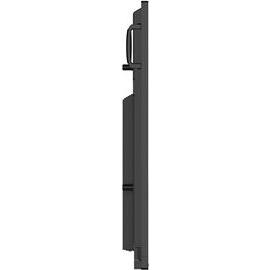
The IFP65G1 boasts a sleek, modern aesthetic with a slim bezel that maximizes screen real estate. Its robust chassis is engineered for durability, ensuring reliable performance over extended periods of use. The board’s lightweight frame facilitates easy mounting on walls or integration into existing furniture setups.
Use Cases and Applications
- Education: Teachers can present lessons with interactive annotations, students can collaborate on projects, and digital textbooks can be displayed in high fidelity.
- Corporate Meetings: Executives can share dashboards, brainstorm ideas, or conduct training sessions with real‑time feedback.
- Creative Studios: Designers and artists can sketch directly onto the screen, review color palettes, and iterate quickly.
- Public Displays: The board’s high brightness and wide viewing angles make it suitable for signage or information kiosks in busy environments.
Installation and Setup
Setting up the IFP65G1 is straightforward:
- Mounting: Use the included wall‑mount kit to secure the board at eye level for optimal ergonomics.
- Power Connection: Connect the power cable to a standard outlet; the device powers on automatically.
- Input Configuration: Plug an HDMI source or connect via USB‑C. The board will detect the input and display the content immediately.
- Calibration: Run the touch calibration wizard to align the touch surface with the displayed image.
- Software Activation: Install ViewBoard software on connected devices, then pair them with the board for seamless collaboration.
Maintenance and Support
The IFP65G1 requires minimal upkeep. Regular cleaning of the screen surface with a microfiber cloth keeps it free from smudges. Firmware updates are delivered through the software suite, ensuring that new features or bug fixes can be applied without hardware changes.
Conclusion
The ViewSonic IFP65G1 65" Interactive Touchscreen Whiteboard stands out as a versatile, high‑performance solution for any setting that demands clarity, interactivity, and ease of use. Its combination of 4K UHD imaging, responsive multi‑touch capability, robust connectivity, and intuitive software makes it an indispensable tool for educators, business professionals, and creative teams alike.
| This product in Comparor | |
|---|---|
|
Category
This product is cataloged in our store in these categories
|
|
|
International
Find this product in one of our international stores
|
This product has not been found in other countries
|
| Colors
Predominant colors of the product |
|
| Identifiers | |
| Brand |  Viewsonic is a brand of computer monitors, projectors, and other electronics. It was founded in 1987 and is now a subsidiary of TPV Technology. |
| ID | 89319588 |
| Dimensions / Weight | |
| Key Features | |
Related articles


