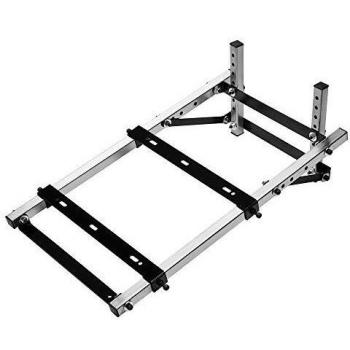
Thrustmaster BT Led Display Bluetooth Wireless LED Display Unit for Racing Games for PS4
Stores where to buy this product
Similar products

Thrustmaster BT LED Display: The Ultimate Wireless Companion for Your Racing Setup
The Thrustmaster BT LED Display is a sleek, high‑performance accessory designed to elevate the racing experience on the PlayStation 4. By integrating seamlessly with your steering wheel or pedal set, it delivers real‑time visual feedback through a vibrant LED panel, all powered by a robust lithium‑ion battery that offers up to 48 hours of continuous operation.
Key Features
- Wireless Connectivity: Utilizes Bluetooth technology for a clean, cable‑free connection. This eliminates clutter on your desk and ensures instant data transfer between the display unit and your PS4 controller or wheel.
- High‑Quality LED Indicators: Three distinct LEDs—Activity, Power, and Status—provide clear, intuitive visual cues. Whether you’re monitoring battery life, confirming a successful pairing, or tracking in‑game events, the display keeps you informed at a glance.
- Long‑Lasting Battery Life: Equipped with a 3000 mAh lithium‑ion cell that delivers up to 48 hours of use on a single charge. The unit’s low‑power Bluetooth design conserves energy, allowing you to focus on the race without frequent recharging.
- Compact and Stylish Design: Finished in classic black, the display is both functional and aesthetically pleasing. Its compact form factor fits neatly beside your wheel or pedals, maintaining a tidy cockpit layout.
- Universal Compatibility: Though optimized for PlayStation 4, the BT LED Display also works with PC setups that support Bluetooth peripherals, making it versatile across multiple platforms.
- Easy Setup and Pairing: A single USB port on the unit powers the display during initial pairing. Once connected, the device automatically synchronizes via Bluetooth, requiring no additional drivers or software.
Technical Specifications
| Specification | Details |
|---|---|
| Platform | PlayStation 4 (also compatible with PC) |
| Connectivity Technology | Bluetooth (wireless) |
| Battery Type | Lithium‑ion |
| Battery Capacity | 3000 mAh |
| Operating Voltage | 3.8 V |
| LED Indicators | Activity, Power, Status |
| Color | Black |
| Required Units | 1 (per wheel or pedal set) |
| USB Ports | 1x (for initial pairing and charging) |
| Packaging Type | Boxed accessory |
| Weight | Approximately 150 g (including battery) |
Installation Guide
- Charge the Unit: Connect the USB cable to the display’s port and plug it into a power source. Allow the unit to charge fully before first use.
- Activate Bluetooth on PS4: Navigate to Settings > Devices > Bluetooth Devices and enable Bluetooth.
- Pair the Display: Press the pairing button on the display (usually located near the USB port). The unit will broadcast its presence. Select it from the PS4’s Bluetooth device list to complete the connection.
- Position the Display: Mount the LED panel beside your wheel or pedal set using the included mounting brackets or adhesive pads, ensuring a clear line of sight for all LEDs.
- Verify Functionality: Once paired, the Activity LED should illuminate during gameplay. The Power LED indicates battery status, while the Status LED reflects connection health.
Optimizing Your Racing Experience
The Thrustmaster BT LED Display transforms passive racing peripherals into interactive hubs of information. By providing instant visual feedback, it reduces reaction times and enhances immersion:
- Real‑Time Status Monitoring: Keep an eye on battery levels without interrupting gameplay.
- Connection Assurance: The status LED confirms a stable Bluetooth link, preventing mid‑race disconnections.
- Customizable Alerts: Some firmware versions allow users to program the LEDs for specific in‑game events, such as lap completion or pit stops.
Maintenance and Care
- Keep the LED surface clean with a soft, dry cloth. Avoid abrasive cleaners that could damage the panel.
- Store the unit in a cool, dry place when not in use to preserve battery health.
- If the display shows no activity after several attempts at pairing, reset it by holding the pairing button for 10 seconds and retrying the connection process.
Conclusion
The Thrustmaster BT LED Display is more than a decorative add‑on; it’s an essential tool that brings clarity, convenience, and style to your racing setup. Its wireless Bluetooth connectivity, durable lithium‑ion battery, and intuitive LED indicators make it the perfect companion for any serious PS4 racer looking to gain a competitive edge.
| This product in Comparor | |
|---|---|
|
Category
This product is cataloged in our store in these categories
|
|
|
International
Find this product in one of our international stores
|
 79.99 EUR  189.00 EUR  170.99 EUR  189.00 EUR  340.99 EUR  244.91 EUR |
| Colors
Predominant colors of the product |
|
| Tags | LED display Thrustmaster LED Display BT LED Display Bluetooth LED Display Wireless LED Display Racing Games LED Display PS4 LED Display EMEA LED display EMEA Version LED Display Thrustmaster BT LED Display Thrustmaster Bluetooth LED Display Thrustmaster Wireless LED Display PS4 Racing Games LED Display EMEA Version Bluetooth LED Display |
| Identifiers | |
| Brand | ThrustMaster ThrustMaster is a brand that specializes in manufacturing gaming peripherals such as controllers and joysticks. The company was founded in 1989 and is headquartered in France. |
| Model | ThrustMaster 4160709 |
| MPN | ThrustMaster 4160709 |
| ID | 6445245 |
| Dimensions / Weight | |
| Key Features | |


Related articles