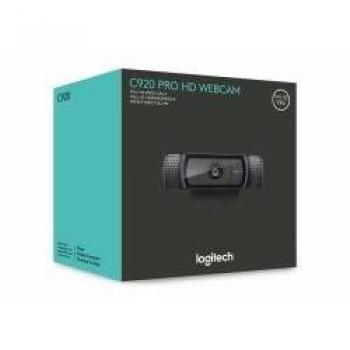
Logitech C920 HD Pro Webcam - Black
Logitech (5147841678656 / 960-000768) - Auto Focus - Built-in microphone - Colour - Full HD - Manual - Noise reduction - USB powered - USB required - Logitech Vid HD - USB 2
Stores where to buy this product
Similar products

Logitech C920 HD Pro Webcam – Black
The Logitech C920 HD Pro Webcam is a premium video capture device that delivers crystal‑clear Full HD 1080p footage at up to 30 frames per second. Designed for both professional and casual use, it combines advanced optics with dual microphones and intelligent software features to provide an exceptional visual and audio experience.
Key Features & Specifications
- Resolution: 1920 x 1080 pixels – the highest standard for high‑definition video.
- Frame Rate: 30 fps – smooth motion for meetings, streaming, and recording.
- Video Codec: H.264 – efficient compression with minimal loss of quality.
- Auto Focus: Yes – automatically adjusts to keep subjects sharp in real time.
- Built‑in Microphones: Dual stereo microphones – capture clear audio from two directions, reducing background noise.
- No Built‑in Flash: The camera relies on ambient lighting; no flash is included.
- Noise Reduction: Yes – built‑in software reduces unwanted hiss and static.
- USB 2.0 Interface: Plug‑and‑play connectivity with any USB port.
- Power Source: USB powered – no separate power supply required.
- Cable Length: 1.8 meters (6 feet) – flexible placement on a desk or monitor.
- Mounting Type: Clip – attaches securely to laptop screens, monitors, or other flat surfaces.
- Operating System Compatibility: Windows XP SP3, Windows Vista, Windows 7 (32‑bit/64‑bit). The webcam is also fully compatible with macOS, Linux, Android, and Chromebook platforms through standard drivers.
- Minimum System Requirements: 2.4 GHz Intel Core 2 Duo processor, 2 GB RAM – ensuring smooth performance on most modern computers.
Software & Integration
The webcam ships with Logitech Vid HD, a lightweight application that allows users to adjust settings such as brightness, contrast, and focus manually. It also provides options for recording video locally or streaming directly to popular platforms like Skype, Hangouts, FaceTime, Teams, Google Meet, and Zoom.
Because the device uses standard USB drivers, it is instantly recognized by most operating systems without additional installation steps. Users can quickly start a video call or begin recording with just a few clicks.
Design & Build
- Color: Sleek black finish that blends seamlessly into any workspace.
- Compact Form Factor: Small footprint and lightweight construction make it easy to reposition or transport.
- Clip Mount: The built‑in clip ensures a stable hold on monitors, laptops, or other flat surfaces without damaging the device.
Ideal Use Cases
- Professional Video Conferencing: Clear video and audio for business meetings, webinars, and remote collaboration.
- Content Creation: High‑definition recording for YouTube videos, tutorials, or live streams.
- Online Education: Reliable performance for virtual classrooms and e‑learning platforms.
- Personal Communication: Crisp video chats with family and friends on any major communication app.
Why Choose the Logitech C920 HD Pro Webcam?
The combination of Full HD 1080p resolution, auto focus, dual microphones, and noise reduction makes this webcam a standout choice for anyone seeking professional‑grade video quality without the complexity of high‑end equipment. Its plug‑and‑play USB interface, robust software support, and versatile mounting options ensure that it can adapt to a wide range of environments—from home offices to corporate meeting rooms.
Whether you’re recording a tutorial, hosting a webinar, or simply staying connected with loved ones, the Logitech C920 HD Pro Webcam – Black delivers reliable performance and exceptional clarity every time.
| This product in Comparor | |
|---|---|
|
Category
This product is cataloged in our store in these categories
|
- Webcams and VoIP equipment - Webcams |
|
International
Find this product in one of our international stores
|
  78.00 EUR  70.95 EUR |
| Colors
Predominant colors of the product |
|
| Identifiers | |
| Brand |  Logitech is a brand that produces computer peripherals, such as mice, keyboards, and webcams. The company was founded in 1981, and is headquartered in Switzerland. |
| Model | Logitech 960-000768 |
| MPN | Logitech 960-000768 |
| ID | 6203327 |
| Dimensions / Weight | |
| Key Features | |
|
Auto Focus Indicates whether the device has an automatic focusing capability that adjusts the lens or sensor to achieve sharp images without manual intervention.
|
Yes |
|
Built-in flash Indicates whether the product includes a built‑in flash unit that can be used for illumination during photography or videography. A value of "Yes" means the device has such a flash; a value of "No" means it does not.
|
No |
|
Built-in microphone Indicates whether the product includes at least one built‑in microphone. A value of "Yes" means that the device has an integrated microphone, while "No" indicates it does not.
|
Yes |
|
Bundled software A list of software programs and utilities that come pre-installed or bundled with the product, such as operating systems, drivers, antivirus suites, or other essential applications.
|
Logitech Vid HD |
|
Cable length The linear distance that a cable covers, expressed with a length unit such as meters, centimeters or inches. It represents the total usable length of the cable for connecting devices.
|
1.8 m |
|
Colour The colour or combination of colours that a product is available in, expressed as common names such as "Black", "Silver" or comma‑separated lists like "Black, White". It indicates the visual appearance of the item for consumers.
|
Yes |
|
Compatible operating systems List of operating systems that the product can run or support, including specific versions and architectures when relevant. Each value represents a distinct OS that is compatible with the hardware or software.
|
Windows XP (SP3), Windows Vista, Windows 7 (32-bit/64-bit) |
|
Full HD Indicates whether the product is capable of displaying or transmitting video at Full HD resolution (1920 × 1080 pixels). A value of "Yes" means that Full HD functionality is supported, while a value of "No" indicates it is not available.
|
Yes |
|
Interface List of physical or logical interfaces that allow communication between a hard drive and other devices, such as SATA, M.2 PCIe, U.2, SAS, NVMe, or other standard connections.
|
USB 2.0 |
|
Manual Indicates whether a user manual—physical or digital—is provided with the product. A value of "Yes" means that a manual is included, while a value of "No" indicates that no manual is supplied.
|
Yes |
|
Maximum video resolution The highest pixel dimensions that a device can output or support for video playback or recording, expressed as width by height (e.g., 1920x1080). It indicates the maximum resolution available for visual content on the product.
|
1920 x 1080 pixels |
|
Minimum processor The minimum processor model required for a product to operate correctly. This attribute lists the specific CPU model or brand that meets the device’s baseline performance needs, such as "Intel Core i3-8100" or "AMD Ryzen 5 3600". It helps users verify compatibility and ensures the product will run with acceptable speed and features.
|
2.4 GHz Intel Core 2 Duo |
|
Minimum ram The smallest amount of system memory required for a product to operate correctly, expressed in gigabytes or megabytes. This value indicates the minimum RAM capacity that a device must have to run its software and hardware components without performance degradation.
|
2048 MB |
|
Mounting type The method or location where a product is intended to be secured or installed, such as wall, desk, ceiling, floor, rack, or freestanding. It indicates the physical mounting configuration that determines how the item attaches to its environment and what hardware may be required.
|
Clip |
|
Noise reduction Indicates whether the product includes a feature that reduces or eliminates unwanted ambient noise, such as active noise cancellation or built‑in sound‑absorbing technology.
|
Yes |
|
USB powered Indicates whether the device receives its power supply through a USB connection. A value of "Yes" means the product can be powered directly from a USB port, while "No" indicates it requires an external power source.
|
Yes |
| USB required | Yes |
|
Video formats supported A list of video file formats and codecs that a product can play or record, such as MP4, AVI, H.264, or 4K. Each entry represents a supported combination of compression technology and file extension.
|
H.264 |

Related articles