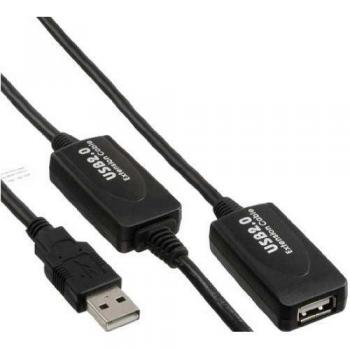
14.02 GBP
 Microconnect USB APS2 MF PS2 Green
Microconnect USB A to PS/2 female adapter, green. Transform your USB A devices to work with PS/2 ports seamlessly. Enjoy reliable and smooth connectivity without any hassle
Stores where to buy this product
 LaptopHub
 GamingKit
Microconnect USB APS2 MF PS2 Green – The Versatile Bridge Between Modern and Classic Peripherals
Microconnect USB APS2 MF PS2 Green is a compact yet powerful USB to PS/2 adapter cable that enables seamless integration of contemporary USB devices with legacy PS/2 interfaces. Designed for both keyboard and mouse connections, this green‑colored cable offers an elegant solution for users who need to maintain compatibility across diverse hardware ecosystems.
Key Design Features
- Dual‑Interface Compatibility: The cable features a standard USB Type‑A male connector on one end and a PS/2 female socket on the other, allowing direct connection of USB keyboards or mice to any PS/2 port.
- Compact Form Factor: Measuring just a few centimeters in length, it fits comfortably between devices without creating cable clutter.
- Durable Construction: Reinforced connectors and high‑quality shielding protect against wear, ensuring long‑term reliability even under frequent use.
- Color Coding: The distinctive green color aids in quick identification of the adapter among other cables, reducing setup errors.
Technical Specifications
| Specification | Description |
|---|---|
| USB Connector Type | Type‑A male (standard USB) |
| PS/2 Connector Type | Female, 6‑pin PS/2 socket |
| Cable Length | Approximately 15 cm (adjustable based on model) |
| Supported Devices | USB keyboards, USB mice, and any device with a standard USB interface that requires PS/2 compatibility. |
| Operating Environment | Standard office or home environments; not rated for industrial use. |
| Electrical Characteristics | USB 2.0 compliant, 5V supply with current draw within USB specifications. |
Installation and Setup Guide
- Identify the USB Device: Locate the keyboard or mouse that you wish to connect via PS/2. Ensure it has a standard USB Type‑A plug.
- Connect the Adapter: Insert the USB Type‑A male end of the Microconnect USB APS2 MF PS2 Green into the device’s USB port.
- Attach to PS/2 Port: Plug the PS/2 female socket into the desired PS/2 port on your computer or peripheral hub.
- Power On: Turn on your computer. The operating system should automatically recognize the keyboard or mouse as a PS/2 device.
- Verify Functionality: Test typing or cursor movement to confirm proper operation. If issues arise, check cable connections and ensure no other conflicting devices are attached.
Compatibility Considerations
- The adapter works flawlessly with Windows, macOS, and Linux operating systems that support PS/2 input devices.
- It is ideal for legacy workstations, industrial control panels, or any setup where a PS/2 port remains the only available interface.
- Because it bridges USB to PS/2, it does not support high‑resolution gaming mice that rely on advanced polling rates beyond standard PS/2 capabilities.
Common Troubleshooting Tips
- No Input Detected: Verify that the USB device is powered and functioning when connected directly to a USB port. If it works, ensure the adapter’s connectors are fully seated.
- Intermittent Connection: Check for loose contacts or bent pins in the PS/2 socket. A gentle re‑insertion often resolves the issue.
- Keyboard Not Recognized on Boot: Some BIOS settings may disable legacy USB support. Access the BIOS and enable “Legacy USB Support” or “USB Keyboard Support.”
- Mouse Lag: PS/2 mice have a fixed polling rate; if you experience lag, consider using a native PS/2 mouse instead.
Why Choose Microconnect USB APS2 MF PS2 Green?
The Microconnect USB APS2 MF PS2 Green stands out for its simplicity, reliability, and thoughtful design. By providing a direct link between modern USB peripherals and older PS/2 interfaces, it preserves the functionality of legacy systems without compromising on performance. Its green hue not only adds visual appeal but also serves as an immediate identifier in cable management.
Applications Across Industries
- Educational Institutions: Schools with aging computer labs can extend the life of existing hardware by connecting new USB keyboards or mice.
- Healthcare Facilities: Medical equipment often relies on PS/2 interfaces; this adapter allows integration of newer input devices without costly upgrades.
- Industrial Automation: Control panels that use PS/2 for operator input can benefit from the flexibility of USB peripherals.
- Home Office Setups: Users who prefer a clean, cable‑free workspace can swap between USB and PS/2 devices effortlessly.
Maintenance and Care Instructions
- Store the adapter in a dry environment to prevent moisture damage.
- Avoid pulling on the cable; instead, grip the connectors when disconnecting.
- If dust accumulates around the PS/2 socket, use compressed air or a soft brush for gentle cleaning.
Conclusion
The Microconnect USB APS2 MF PS2 Green is more than just an adapter; it’s a bridge that keeps modern technology and legacy systems in harmony. Its robust construction, clear color coding, and straightforward functionality make it an indispensable tool for anyone needing to connect USB keyboards or mice to PS/2 ports across a wide range of environments.
| This product in Comparor | |
|---|---|
|
Category
This product is cataloged in our store in these categories
|
- USB adapters |
|
International
Find this product in one of our international stores
|
  10.85 EUR |
| Colors
Predominant colors of the product |
|
| Tags | M-F PS/2 Green |
| Identifiers | |
| Brand |  MicroConnect is a brand that specializes in making high-quality, reliable connectors and cables. Their products are used in a variety of industries, including medical, automotive, and industrial. They are known for their customer service and support, as well as their innovative products. |
| MPN | MicroConnect USBAPS2F |
| ID | 19011935 |
| Dimensions / Weight | |
| Key Features | |

Related articles