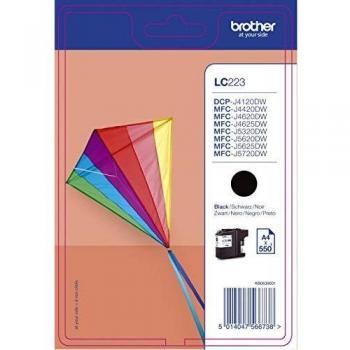
32.55 USD
 Brother LC225XLY High Capacity Yellow Ink Cartridge, 1200 Pages Yield
Genuine Brother LC225XLY Yellow Ink Cartridge for DCP-J4120DW MFC-J4420DW printers. High yield ink cartridge with up to 1,200 pages print output. Compatible with various models of Brother printers
Stores where to buy this product
 memoryc.com
Brother LC225XLY High Capacity Yellow Ink Cartridge
The Brother LC225XLY is a premium, high‑yield ink cartridge engineered for Brother’s line of desktop and multi‑function printers. Designed with precision and reliability in mind, this yellow cartridge delivers vibrant, consistent color output across a wide range of printing tasks.
Key Features
- High Capacity Design: Holds 11.8 ml of pigment‑based ink, enabling up to 1,200 pages at 5% coverage according to ISO/IEC 24711 standards.
- Color Quality: Provides rich, saturated yellow tones that blend seamlessly with other colors for professional documents and high‑resolution graphics.
- Compatibility: Fully compatible with a broad selection of Brother printers, including the DCP‑J4120DW, MFC‑J4420DW, MFC‑J4620DW, MFC‑J5320DW, MFC‑J5620DW, and MFC‑J5720DW models.
- Durable Construction: Built with a robust cartridge body that resists leakage and ensures long‑term performance even under heavy print loads.
- Easy Installation: Features a user‑friendly design that allows for quick, tool‑free replacement without interrupting workflow.
Technical Specifications
| Specification | Details |
|---|---|
| Model Number | LC225XLY |
| Color | Yellow |
| Ink Type | Pigment‑based |
| Volume | 11.8 ml |
| Page Yield | Up to 1,200 pages (5% coverage) |
| Compatibility | DCP‑J4120DW, MFC‑J4420DW, MFC‑J4620DW, MFC‑J5320DW, MFC‑J5620DW, MFC‑J5720DW |
| Device Type | Desktop / Multi‑function |
| Packaging | Blister (single unit) |
| Weight | 0.06 kg |
Performance Highlights
The pigment‑based formulation of the LC225XLY ensures that each printed page maintains sharpness and color fidelity, even after prolonged use. The cartridge’s high capacity reduces the frequency of replacements, making it ideal for small offices or home users who require reliable, cost‑effective printing solutions.
Installation Guide
- Turn off the printer and open the ink cartridge compartment.
- Remove the old yellow cartridge by gently pulling it out of its slot.
- Unpack the new LC225XLY from its blister packaging, taking care not to touch the nozzle or any internal components.
- Insert the new cartridge into the yellow slot until it clicks into place.
- Close the compartment and allow the printer to initialize the new cartridge. The printer’s display will confirm successful installation.
Maintenance Tips
- Store cartridges in a cool, dry environment to preserve ink quality.
- Avoid exposing the cartridge to direct sunlight or extreme temperatures.
- If you notice any leakage, replace the cartridge immediately and clean the print head according to the printer’s maintenance guide.
Why Choose the LC225XLY?
The combination of high yield, reliable color output, and broad compatibility makes the Brother LC225XLY a standout choice for users who demand professional results without frequent cartridge changes. Its pigment‑based formula delivers long‑lasting prints that resist fading, ensuring your documents look crisp and vibrant for years to come.
Conclusion
For anyone operating Brother printers within the specified models, the LC225XLY High Capacity Yellow Ink Cartridge offers an optimal blend of performance, durability, and convenience. Whether you’re printing reports, marketing materials, or everyday documents, this cartridge provides the color fidelity and reliability that professionals expect.
| This product in Comparor | |
|---|---|
|
Category
This product is cataloged in our store in these categories
|
|
|
International
Find this product in one of our international stores
|
 24.19 EUR  12.46 EUR  20.34 EUR  19.10 EUR  17.62 CHF  18.94 EUR |
| Colors
Predominant colors of the product |
|
| Tags | Ink cartridge Brother printers Brother LC225XLY |
| Identifiers | |
| Brand |  Brother is a Japanese brand that produces a wide range of electronics, including printers, sewing machines, and scanners. The company has a strong reputation for quality and innovation, and its products are popular among consumers and businesses alike. |
| ID | 25471468 |
| Dimensions / Weight | |
| Key Features | |
|
Box content A list of items that are included in the product’s packaging, such as cables, adapters, manuals, or accessories. Each item is listed as a separate text entry and can be used by customers to verify what they will receive upon purchase.
|
1 x Ink Cartridge |
|
Capacity The total amount of space or volume that a product can hold, expressed in an appropriate unit such as GB, MB, TB for digital storage or L, ml, cl for liquid capacity. This attribute helps users compare how much content a device or container can accommodate.
|
High Capacity |
|
Colour The colour or combination of colours that a product is available in, expressed as common names such as "Black", "Silver" or comma‑separated lists like "Black, White". It indicates the visual appearance of the item for consumers.
|
Yellow |
|
Compatible Brand The brand or manufacturer name of a product that the item can work with, such as printers, accessories, or components. Each value represents a single brand that is known to be compatible with the device.
|
Brother |
|
Distributor The name of the company or entity that distributes the product to retailers or consumers.
|
VOW |
|
Page yield The number of pages a printer or printing device can produce before the ink, toner, or other consumable needs replacement under normal operating conditions.
|
1200 Pages @ 5% Coverage |
|
Product type ink Indica el tipo específico de cartucho que contiene tinta o tóner para impresoras y fotocopiadoras, como "Toner Cartridge", "Ink Cartridge" o "Solid Ink Stick". Este atributo permite identificar rápidamente la categoría del consumible y facilita la búsqueda y comparación entre productos similares.
|
Ink Cartridge |

Related articles